


Reading Eggs - Learn to Read
4.3533.00 Reviews
App Specs
- Version
- v2.20.1+132
- Updated On
- License
- Free
- Downloads
- 1,000,000+
- Developer
- Blake eLearning Pty Ltd
- Categories
- Education
- Platform
- Android, iOS
Screenshots
 Analysis by AppCompare
When I’m choosing a reading app for a child, I look beyond bright screens and cheerful rewards: will it make a short practice session easy to start, and will an adult be able to tell what the child is working on? Reading Eggs - Learn to Read is an education app from Blake eLearning Pty Ltd for children aged 2 to 13. Its broad age range is appealing, though it also means parents should check that the activities suit their own child rather than assume one learning path fits every age.
What a short session can realistically offer
The app is built around lessons, games, activities, animations, songs, and rewards. That format gives a child several ways to meet reading material instead of relying on a screen full of text. In practical terms, I’d treat it as a structured practice option for a quiet stretch after breakfast, a calm activity before dinner, or a little reading time while an adult is nearby—not as a replacement for sharing physical books or talking through a confusing word.
For a younger learner, a parent can sit beside the child and help keep the session focused on the lesson rather than the reward. An older child may be ready to work more independently, but the wide age span makes it worth checking whether the material feels appropriately challenging. If a child already reads confidently and wants open-ended stories, a library app or ordinary books may be a better fit than a lesson-led program.
Speed expectations and everyday use
I wouldn’t judge a learning app by how quickly a screen changes; what matters more is whether the child can move through an activity without repeated adult rescue. The interactive format is designed to keep lessons lively, but a child’s pace will naturally depend on reading ability, attention, and comfort using a device. A useful first session is therefore a short one: watch how the child responds, see whether they understand the instructions, and stop before the activity becomes a struggle.
A realistic routine might be a parent opening the app after school, choosing a manageable amount of practice, and checking in when the child finishes. That small check-in can make the reward system useful rather than distracting: ask the child what they read or which sound they practiced before they move on to the next activity. This turns screen time into a conversation and gives the adult a better sense of whether the lesson is landing.
When activity adds friction
Lessons, games, books, rewards, and a parent dashboard offer variety, but variety can also make it harder to decide what to do next. I’d avoid letting a young child browse every part of the app without guidance at the start. A parent can help by choosing the activity together, then leaving the child to complete it, rather than repeatedly changing direction whenever a new reward or option catches their eye.
Rewards may help some children stick with practice, yet they won’t motivate everyone equally. If a child begins rushing through activities just to earn golden eggs, slow the routine down: ask them to explain a word, sound out a tricky part, or read a page aloud after the game. The app can support practice, but an adult’s attention is still important for noticing whether a child is guessing, frustrated, or ready for something harder.
Worth Reading Before You Choose

EA SPORTS FC Mobile 26 Is a Bigger Football Game, but It Takes Time

Flipboard Shows What News Apps Must Do Beyond the Feed

Switching to Android Auto Means Rethinking Your Driving Routine

Google Calendar Makes a Crowded Week Easier to Manage

Ludo King Makes the Most of the Minutes Between Plans

Baby Panda World Brings Quick Play to Modern Phones, but Its Game Library Feels Busy
Reliability, devices, and a sensible trial
I can’t promise identical speed or stability on every phone or tablet, so I’d use the first session to check that the app feels comfortable on the family’s device. The current version is v2.16.7+117 and the minimum operating system is 9. Before building it into a daily routine, confirm that the device can run it, that the child can reach the controls comfortably, and that the display is large enough for them to follow along without leaning in awkwardly.
It is free to download, with in-app purchases listed from $4.99 to $99.99 per item. I’d review the purchase choices with another adult before handing over a device, especially if a child can navigate menus independently. The app is rated Everyone, but that age label is about content suitability, not whether the teaching level will suit an individual child. Taking a little time to explore together helps set expectations before a child starts using it alone.
Compared with free videos or simple phonics games, this app’s stronger appeal is the combination of lessons, digital books, progress tracking, and a parent-facing view. A video may be easier when an adult wants a passive explanation, and a physical book is better for shared reading without a screen. The trade-off here is that a more structured app asks the family to make room for screen-based practice and to guide a child through its choices.
What’s the Buzz About Reading Eggs?
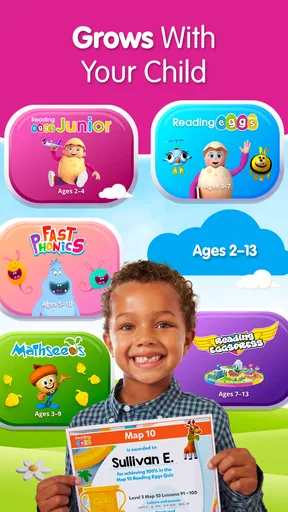
So, what exactly is Reading Eggs? Well, it’s this super cool app designed to make learning to read a fun and interactive experience for kids aged 2 to 13. Yep, you heard me right! It spans a wide age range, which is awesome because it grows with your child. The app is packed with games, activities, and even rewards that keep kids hooked while they’re learning. Plus, it’s available on both Android and iOS, so you can take it on the go.
Getting Started with Reading Eggs
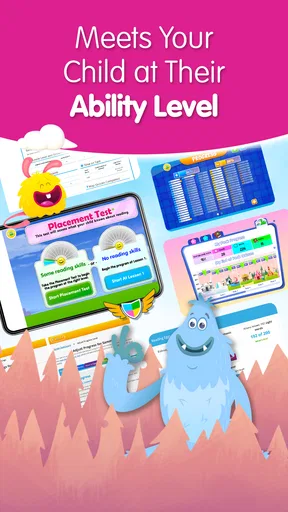
First things first, setting up is a breeze. You just download the app, create an account, and you’re good to go. There’s a free trial, which is perfect if you want to give it a spin before committing. Once you’re in, the app assesses your child’s current reading level with a simple questionnaire. It’s like a personalized reading journey tailored just for them. How cool is that?
The Learning Experience
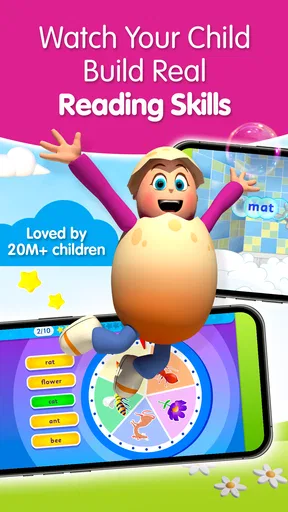
The app features a variety of lessons, each designed to build essential reading skills. The lessons are interactive and include animations, songs, and rewards that make learning feel like playtime. There’s a focus on phonics and sight words, which are crucial for early reading development.
A feature I personally love is the reward system. Kids earn golden eggs for completing activities, which they can use to unlock cool items in the app’s shop. It’s a great motivator and keeps them coming back for more.
Exploring the Features
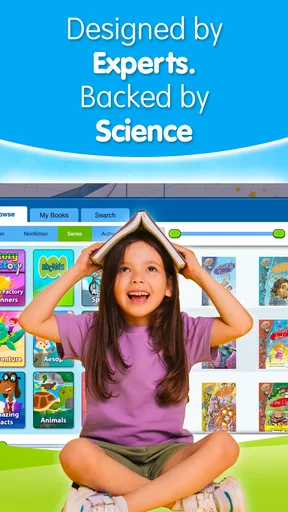
One thing that stands out is the sheer variety of content. We’re talking over 120 lessons, each crafted to enhance different reading skills. There are also over 2000 digital books available, which is fantastic for fostering a love for reading. The app regularly updates with new content, so it never feels stale.
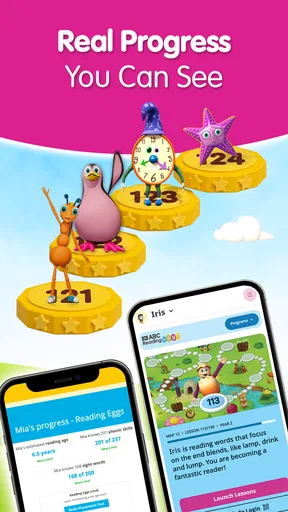
The app also includes a dashboard for parents. You can track your child’s progress, see what they’ve been up to, and even find recommendations for activities to do together offline. It’s a handy tool that makes you feel involved in their learning journey.
Why It’s Worth a Try
What sets Reading Eggs apart is its ability to make learning fun and engaging. It combines education with entertainment seamlessly, which is no small feat. The app is also designed with a child-friendly interface that’s easy to navigate, even for the littlest of users.
Moreover, it’s backed by educational research, so you know it’s not just fun and games. It’s a well-thought-out program aimed at helping kids develop strong literacy skills. And let’s be real, watching your child read their first book independently is one of those priceless parenting moments.
Final Thoughts
In conclusion, if you’re on the lookout for a comprehensive reading app that grows with your child, Reading Eggs - Learn to Read is definitely worth checking out. It’s more than just an app; it’s an educational adventure that makes reading an exciting part of your child’s day.
Give it a try, and watch your child’s reading skills soar to new heights. Happy reading!
Who I’d recommend it to
The app has an average rating of 4.5 from around 11,000 ratings, and it has been installed over a million times. Those figures suggest plenty of families have tried it, but they can’t tell you whether its style will suit your child. I’d consider it for a family that wants guided, regular literacy practice and is willing to stay involved, especially at the beginning. It may be less suitable for a child who dislikes screen-based lessons, needs a teacher’s direct feedback, or is already happiest choosing books freely.
Reading Eggs was released on August 13, 2019, and is currently free to download. I’d still think of the purchase options as part of the decision, not an afterthought: try the available experience with your child, decide whether the lesson format is genuinely useful, and only then consider spending. That approach is more informative than judging the app by its cheerful presentation alone.
My performance verdict is measured rather than absolute. The app offers a lot of material and an organized way to practice, but a child’s progress depends on the match between the lesson level, their attention, and an adult’s involvement. I’d start with a brief, supervised session, then use the parent dashboard to decide whether it earns a place in the family routine. If the child is engaged and the activities feel manageable, it can be a useful complement to books and everyday reading—not a substitute for them.
Pros
- Engaging interactive lessons for kids.
- Offers personalized learning paths.
- Wide variety of reading materials.
- Includes fun games to reinforce skills.
- User-friendly interface for children.
Cons
- Requires internet connection for use.
- Some content behind a paywall.
- Limited offline features available.
- Can be pricey without a subscription.
- May have occasional app glitches.
FAQs for Reading Eggs - Learn to Read
What age group is Reading Eggs suitable for?
Reading Eggs is designed for children aged 2 to 13 years. The program offers a range of activities and lessons tailored to different age groups, ensuring that both beginners and more advanced readers find appropriate and engaging content. The app includes features that cater to a wide variety of learning stages.
Is an internet connection required to use Reading Eggs?
Yes, an internet connection is necessary to access Reading Eggs. This allows users to download new lessons and activities, ensuring they have the latest content and updates. However, some features may be available offline once they have been downloaded initially. It's best to check specific requirements for offline use.
Are there any in-app purchases in Reading Eggs?
While Reading Eggs offers a free trial, it is primarily a subscription-based service. Users can access a limited amount of content for free, but a subscription is required to unlock the full range of lessons and activities. Parents should be aware of potential in-app purchases and subscription options before downloading.
Can multiple children use the same Reading Eggs account?
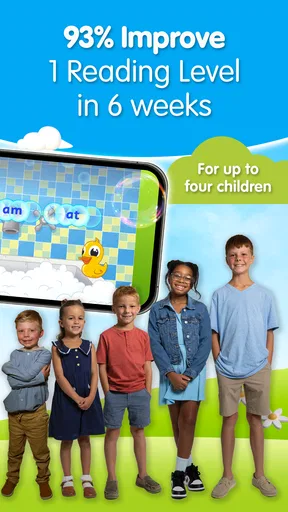
Yes, a single Reading Eggs account can accommodate multiple child profiles. This feature is particularly useful for families with more than one child, allowing each child to have a personalized learning experience. Progress is tracked individually, ensuring that each child can learn at their own pace.
What skills does Reading Eggs help develop?
Reading Eggs focuses on developing literacy skills, including phonics, vocabulary, reading comprehension, and spelling. The app uses interactive lessons, games, and activities to make learning engaging and effective. By encouraging regular practice, Reading Eggs helps children build confidence and proficiency in reading.


